




⚡Key Takeaways
- Most embedded analytics vendors don’t publish fixed prices. Costs are typically determined during sales conversations based on architecture, scale, and deployment needs.
- Pricing models matter more than price points. The wrong model can cause a sharp increase in analytics costs.
- Per-user and usage-based pricing often break down for customer-facing SaaS analytics.
- Flat-rate pricing is designed to offer predictability, but it’s still the exception in embedded analytics.
This article exists because embedded analytics pricing is one of the most common, and most misunderstood, topics we encounter during the evaluation and buying process for SaaS companies.
Pricing varies widely because embedded analytics platforms are priced based on how they are implemented and how they scale, not just based on features.
This guide explains common pricing models and what actually drives costs as your SaaS product grows.
How much does it cost to integrate embedded analytics from a third-party vendor?
There’s no single answer to how much it costs to buy an embedded analytics platform or solution. Most embedded analytics vendors don’t publish fixed prices.
Instead, pricing is typically determined during sales conversations based on factors such as:
- The number and type of users (internal builders vs external customers)
- Data volume and query patterns
- Tenant count and isolation requirements
- Deployment model (vendor-hosted vs customer-hosted)
- Security, compliance, and customization needs
For buyers, the more important question isn’t “What does this cost?” but “How will this pricing behave as we scale?”
But still… Is it cheaper to integrate or build in-house?
If you’re having build vs. buy discussions, talk about whether either approach can scale predictably without creating long term technical debt or roadmap drag.
Building embedded analytics in-house offers control, but comes with long-term engineering, maintenance, and scalability costs. In reality, internal teams often spend significant time maintaining analytics instead of advancing core product features.
Buying and integrating embedded analytics reduces time to market and shifts complexity to a specialized vendor. The trade off is recurring platform cost, which varies depending on pricing model and deployment architecture, so let’s dig into those pricing models.
Debating build vs. buy for analytics? Qrvey CEO & Founder, Arman Eshraghi, breaks down four critical factors to help your company make the right choice. Watch the video below.
Common embedded analytics pricing models
Rather than comparing dollar amounts, the most effective way to evaluate embedded analytics pricing is by understanding pricing models and their scaling behavior.
A common mistake we see is teams comparing prices before understanding how those models behave once customers, usage, and tenants start to scale.
| Pricing model | Best for | Predictability | Scaling risk |
| Flat-rate pricing | SaaS products that need predictable analytics costs as customers, users, and usage scale | High | Low – Costs remain stable as users and tenants scale |
| Per-user/per-seat pricing | Internal analytics or small, fixed user bases | High at small scale | High – Costs grow directly with customer adoption |
| Usage-based pricing | Early-stage products or variable, low-usage scenarios | Medium | High – Costs can spike with customer activity |
| Tenant-based pricing | Multi-tenant SaaS platforms | High | Medium – Tenant growth can create step-function cost increases |
Flat-Rate Pricing
Flat-rate pricing charges a fixed platform fee rather than metering users, queries, or tenants. It fits SaaS companies expecting analytics adoption to expand across customers. Vendors like Qrvey and Embeddable keep costs predictable as products scale, avoiding usage spikes and tier jumps.
Why teams prefer it
- Predictable costs as customers and usage grow
- Encourages analytics adoption without penalty
- Aligns with SaaS economics
Trade-offs
- If you don’t fully utilize it, you may feel like you’re overpaying.
- If users or usage goes down, you still pay the same rate.
Qrvey
What it does
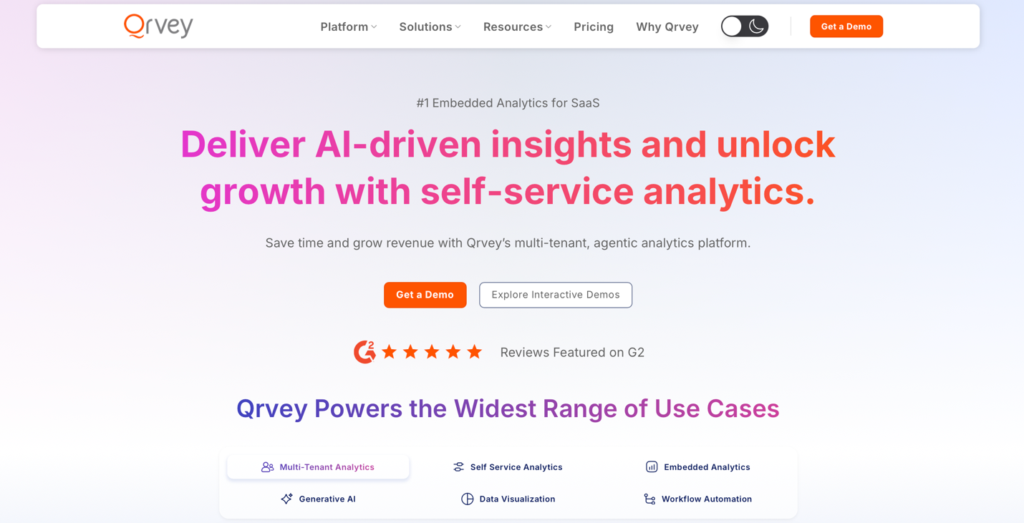
Qrvey is an embedded analytics platform built for multi-tenant SaaS. It delivers dashboards, self-service analytics, reporting, automation, agentic ai, and governance.
Qrvey provides predictable pricing for teams as they scale usage, data, and customers. This model is best suited to SaaS companies that view analytics as a core product capability and want to establish predictable margins as they monetize their analytics.
How pricing works
- Flat-rate pricing
- Not metered by users, tenants, dashboards, or queries
- Pricing set by platform edition
Pricing overview
| Plan | Pricing | Note |
| Qrvey Pro | Flat-rate | Unlimited users, dashboards, instances, data, and connections. |
| Qrvey Ultra | Flat-rate |
Key features
- Multi-tenant embedded analytics
- Self-service dashboards and reporting
- Row- and column-level security
- Fully embedded & customizable (no iframes)
- Advanced white-labeling
- Automation and workflow actions
- Built-in data engine for complex data
Pros
- Predictable costs at scale
- Built for SaaS growth
- Strong tenant isolation
Cons
- If a company only needs one function, they still pay for everything.
- Contracts are typically annual subscriptions

Embeddable
What it does
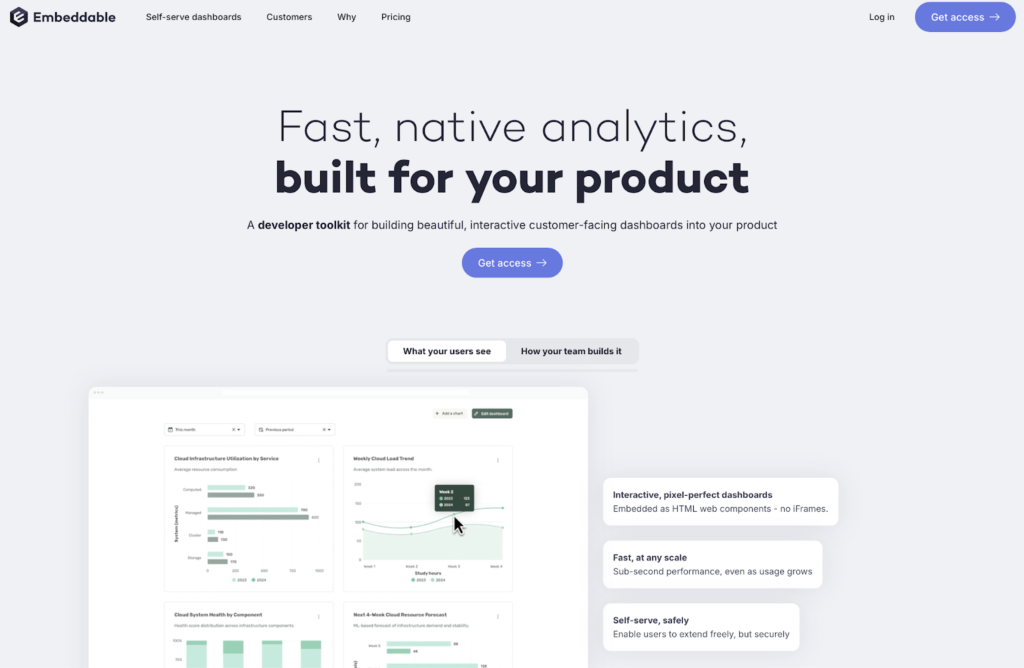
Embeddable is a developer toolkit for building interactive customer-facing dashboards. It supports single- and multi-tenant SaaS applications with row-level and database-level security enforced by default.
How pricing works
- Flat monthly subscription
- No per-user, per-customer, or usage-based charges
Pricing overview
| Plan | Pricing |
| Startup / Early stage | Flat-rate |
| Scale-up / Mid-market | |
| Enterprise |
Key features
- SDK-based embedded analytics
- White-label dashboards and reporting
Pros
- Predictable costs at scale
Cons
- SDK-first approach may require custom engineering
Per-User / Per-Seat Pricing
Per-user pricing charges based on the number of people who access analytics, typically separating internal users who build or manage analytics from external viewers who consume dashboards. This model is used by platforms like Power BI and Tableau, which originated for internal business intelligence use cases.
Consider this example for per-user pricing: A B2B SaaS company starts with 25 tenants and modest analytics use. As it grows to 250 tenants, per-user pricing rises right along with customer growth and adoption. All of a sudden analytics costs outgrow revenue.
When it works
- Internal BI or limited user bases
- Predictable environments
Why it breaks for SaaS
- Customer growth directly increases cost
- External users are often numerous and unpredictable
- Analytics success can be penalized financially. Exactly when usage takes off.
Power BI
What it does
Power BI is a business intelligence platform that supports embedding dashboards and reports. It is most commonly used for internal analytics. Power BI Embedded runs on Azure and integrates tightly with the Microsoft ecosystem. Teams often choose Power BI because it fits naturally into environments they already run and their team already has the right skills.
How pricing works
- Per-user licensing
- Costs scale with users, capacity, and usage patterns
Pricing overview
| Plan | Pricing |
| Power BI Pro | Per-user based |
| Power BI Premium | Per-user based |
| Power BI Embedded | Variable |
Key features
- Interactive dashboards and reports
- Tight integration with Microsoft tools
Pros
- Familiar BI experience for internal teams
- Strong enterprise adoption
Cons
- Pricing becomes complex at scale
- Costs increase as customer usage grows
Tableau
What it does
Tableau is known for its advanced data visualization and analytics capabilities. It’s adopted for internal business intelligence and extended to customer-facing products through embedding. Where teams often underestimate the effort is in adapting internal BI workflows, licensing, and governance models to support large numbers of external users.
How pricing works
- Role-based, per-user licensing
- Embedded deployments require user licenses and core infrastructure
- Additional costs for hosting, administration, and advanced features
Pricing overview
| Plan | Pricing |
| Tableau Standard | Per-user based |
| Tableau Enterprise | Per-user based |
| Tableau+ Bundle | Contact sales |
Key features
- Advanced visual analytics
- Rich dashboard interactivity
- Strong analyst and data team tooling
Pros
- Powerful visualization capabilities
- Mature analytics ecosystem
- Flexible deployment options
Cons
- Per-user pricing scales poorly
- Licensing complexity increases
- Analytics costs outgrow revenue
Usage-Based Pricing (Queries, Rows, Events)
Usage-based pricing ties cost to activity such as queries, data processed, or API calls. Vendors including Sisense and Looker use variations of this model, and it often looks appealing at first because costs stay low while usage is still modest.
In this example, a SaaS company keeps their tenant count stable, but they actively promote analytics adoption. As more end users explore dashboards, usage-based pricing increases sharply.
Pros
- Low barrier to entry
- Flexible for early-stage usage
Risks
- Costs become volatile as adoption grows
- Heavy customer usage can trigger unexpected overages
- Budgeting becomes difficult at scale
Sisense
What it does
Sisense supports dashboards and embedded experiences for applications. Its packaging includes role-based seats and introduces consumption controls through monthly credits and storage limits. Sisense works best for SaaS teams that want tighter control over usage early on and are comfortable actively managing consumption as part of their operating model.
How pricing works
- Fixed bundles of storage and monthly credits
- Higher tiers support expanded deployment options
Pricing overview
| Plan | Pricing |
| Launch | Usage-based pricing |
| Grow | Usage-based pricing |
| Scale | Custom |
Key features
- Embedded dashboards
- White labeling (higher tier)
- Multi-tenant support (higher tier)
Pros
- Consumption controls can align costs with actual usage
- Clear bundling of builder vs viewer roles
Cons
- Predictability faces credit and consumption pressure
- Cost complexity increases at scale
- Multiple deployment options come at a higher cost
Looker
What it does
Looker is strong with its semantic modeling layer and sits naturally within the Google Cloud ecosystem. Its pricing is structured as platform pricing plus user pricing.
Looker offers an “Embed” edition for the embedded analytics use case. As usage grows, teams usually feel the complexity first around query limits, API usage, and how those interact with user-based licensing.
How pricing works
- Editions include query-based and administrative API calls
- “Embed” edition for external analytics and custom applications
Pricing overview
| Plan | Pricing |
| Standard | Usage-based pricing |
| Enterprise | Usage-based pricing |
| Embed | Usage-based pricing |
Key features
- Semantic modeling capabilities
- Large ecosystem
Pros
- Strong semantic modeling capabilities
- “Embed” edition supports external analytics at scale
Cons
- Licensing can become complex at scale
- Costs depend on users and embedded/API usage you need

Tenant-Based Pricing
Tenant-based pricing charges by customer tenants. While rare in embedded analytics, it fits multi-tenant SaaS by aligning costs with customer growth rather than usage or users. You don’t see this model very often, but when it does show up, it’s usually in more mature multi-tenant SaaS products.
Why SaaS teams prefer it
- Aligns closely with multi-tenant architecture
- More favorable than per-user pricing
Common pitfalls
- Pricing tiers that jump sharply at scale
- Additional charges for isolation, environments, or governance
- Still variable as customer count increases

What actually drives embedded analytics costs
We compiled the most common cost drivers of embedded analytics below. Keep in mind that these don’t apply to the flat-rate pricing model—only pricing models where costs fluctuate based on usage or users.
- Number of tenants
Each tenant introduces governance and lifecycle management overhead. - Active end users
External users often scale faster and are harder to predict. - Data volume and refresh frequency
Larger datasets and real-time refreshes increase infrastructure load. - Security and isolation requirements
Row-level security, auditability, and compliance add complexity and cost. - Customization and white-labeling
Branding and UX control are often priced as premium features. - Self-service vs static dashboards
Self-service analytics require more compute, permissions logic, and support. - Deployment model
Vendor-hosted, dedicated cloud, and customer-hosted deployments have different cost profiles.
This list isn’t exhaustive. Teams often underestimate the ongoing cost of supporting customer questions, troubleshooting data issues, and handling edge cases once analytics is in production.
Pro tip: In many pricing models, analytics costs can scale faster than revenue if tenant growth and customer usage aren’t accounted for early.
Hidden costs SaaS teams miss when evaluating vendors
Many embedded analytics evaluations focus on license pricing, but the largest costs often surface later. SaaS teams frequently underestimate the ongoing operational and engineering effort required to keep analytics reliable, secure, and performant at scale.
Commonly overlooked costs include:
- Engineering time for integration, customization, and adapting analytics to evolving product requirements
- Ongoing maintenance, including upgrades, dependency management, and platform changes
- Security audits and compliance work, especially for regulated customers
- Performance tuning as data volume, concurrency, and customer expectations increase
- Re-platforming later, when pricing models, architectural limits, or operational burden no longer align with the product’s growth stage
Did you know?
Forrester estimates that up to 80% of IT spend is consumed by maintenance, leaving only 20% for new innovation—making hidden operational costs a major factor in long-term analytics ROI.
Qrvey’s embedded analytics is built (and priced) for multi-tenant SaaS
Qrvey is purpose-built for multi-tenant SaaS analytics, helping product teams deliver secure, customer-facing insights without the cost and complexity of per-user or usage-based pricing. This approach is well received because it avoids many of the scaling and pricing traps we see SaaS teams run into as analytics adoption grows.
With tenant isolation, predictable pricing, and a multi-tenant architecture, Qrvey lets teams scale analytics alongside their customer base while compounding ROI.
Ready to see how it works?
Explore Qrvey’s embedded analytics in action and sign up for a demo today.

FAQs:
Qrvey offers flat-rate pricing with unlimited tenants, users, datasets, dashboards, etc. You can also deploy as many instances across as many environments/regions as needed at no extra cost. You can find additional details and request pricing directly from our pricing page:
Qrvey is a fully deployed solution, therefore Customer hosts all Qrvey resources and components. Qrvey deploys into Customer’s cloud account(s) directly in either AWS or Azure.
Not, currently, no. LLM usage can be controlled by the customer, however, so you can choose when and how to expose these features to your end users, and if you need to disable it at any time, you may configure logic to remove or disable these features from your deployed environments.

Natan brings over 20 years of experience helping product teams deliver high-performing embedded analytics experiences to their customers. Prior to Qrvey, he led the Client Technical Services and Support organizations at Logi Analytics, where he guided companies through complex analytics integrations. Today, Natan partners closely with Qrvey customers to evolve their analytics roadmaps, identifying enhancements that unlock new value and drive revenue growth.
Popular Posts

Why is Multi-Tenant Analytics So Hard?
BLOG
Creating performant, secure, and scalable multi-tenant analytics requires overcoming steep engineering challenges that stretch the limits of...

How We Define Embedded Analytics
BLOG
Embedded analytics comes in many forms, but at Qrvey we focus exclusively on embedded analytics for SaaS applications. Discover the differences here...

White Labeling Your Analytics for Success
BLOG
When using third party analytics software you want it to blend in seamlessly to your application. Learn more on how and why this is important for user experience.
