




⚡Key Takeaways
- White-label reporting lets you deliver branded reports, dashboards & custom widgets to your clients using a third-party engine, without building analytics yourself
- You can use it to scale marketing performance reports, unify data from third-party tools, and deliver insights that look fully yours
- Qrvey offers the most complete approach for SaaS companies needing secure multi tenant architecture + customized analytics for external client reporting
Your product might have powerful insights but if customers can’t share them cleanly, professionally, and under your brand, the value gets lost. That’s why white label reporting is a competitive advantage.
When customers present data with confidence, they rely more on the platform that made it possible. This article breaks down what white label reporting really is, why it’s so underestimated, and how to use it to elevate your product experience and retain more customers.
What Is White Label Reporting?
A white label report is analytics created by someone else’s platform but delivered under your brand.
Agencies use white label reporting to send automated updates while SaaS companies embed analytics directly into their products so customers analyze data without leaving the app. The technology works invisibly and the credit goes to you.
This differs from internal business intelligence where you’re packaging insights for external clients who need answers in formats that match their expectations, not analyzing data for your own team’s decisions.
Key Components of a White Label Dashboard or Report
Every effective white label reporting solution needs five core building blocks.
Full Branding Control
Your visual identity should cover every pixel yet basic solutions just let you swap a logo. Meanwhile, advanced platforms like those offering embedded dashboards give you CSS-level control over fonts, spacing, and component styling.
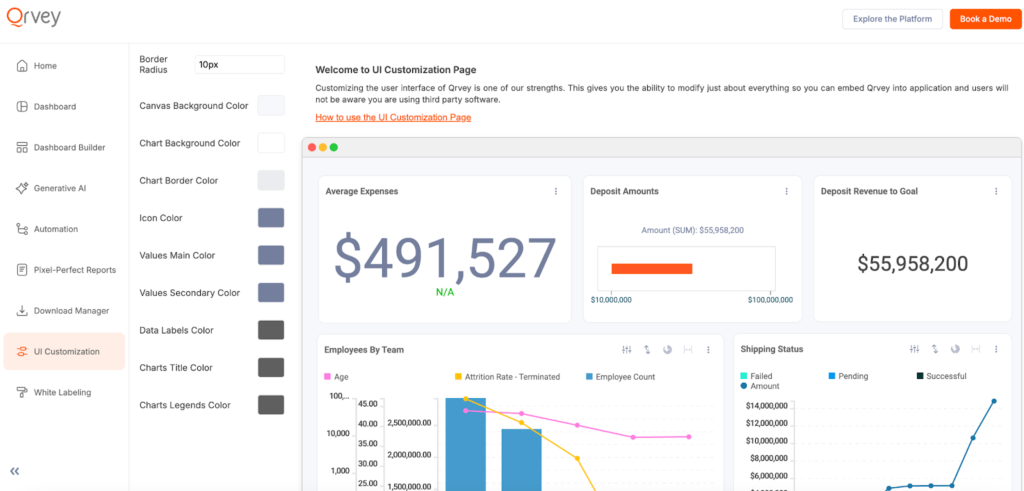
Your clients should never see “Powered by [Tool Name]” watermarks. Or even worse, the analytics vendor’s logo in the browser tab. That completely breaks the illusion that you built this yourself.

Data Integration
Your tool must connect where data lives e.g Google Analytics 4, Google Ads, social media platforms, data warehouses, and Google Sheets.
The best solutions handle data sources through pre-built APIs instead of requiring custom ETL work. If you’re a SaaS company, you need native multi-tenant architecture so each customer’s data stays isolated.
Qrvey’s built-in data lake powered by Elasticsearch handles this automatically. One API management layer connects to any source while keeping tenant data completely separate.
Automation Engine
Automated analytics means setting rules once. If a client wants weekly performance summaries every Monday at 8am, the system handles it without your involvement.
Advanced platforms add workflow automation that triggers actions based on data thresholds. When revenue drops 10%, the system alerts the right people and surfaces relevant drill-down reports.
User Access Controls
You need authentication options like single sign on, custom authentication systems, and permission levels ranging from view-only to full edit access. For SaaS applications, this means inheriting your existing security model instead of building a parallel system.
Benefits of White Label Reporting
White-label reporting delivers measurable business outcomes. Here’s what changes when you implement it correctly.
Brand Consistency Across Touchpoints
When you send a proposal in your branded template, hold meetings in your styled workspace, and deliver reports with your visual style, you build trust. And consistent branding increases revenue by up to 23% because trust builds through repetition.
Explore the customization options in Qrvey’s Chart Builder feature in this clickable demo.
Save Development Time
Building analytics in-house means hiring data engineers and front-end developers for months of work. A white label dashboard provides 10x faster feature delivery.
Like the kind Global K9 Protection Group began to enjoy after switching from QuickBase to Qrvey. They achieved 60% cost savings with faster reporting across 120+ locations, without hiring new developers.
Scale Without Adding Headcount
JobNimbus faced high churn among enterprise clients due to rigid reporting. After implementing Qrvey’s embedded analytics platform, they achieved 70% user adoption while reducing infrastructure costs. Each new client added revenue without proportional cost increases.
The data lake architecture matters here. Power BI Embedded and traditional data warehouses scale expensively. Purpose-built embedded analytics platforms like Qrvey use container technology that scales elastically based on actual usage.
Unlock Revenue Streams
Many SaaS companies now charge for advanced reporting tiers.
You might offer basic report templates free, then upsell custom dashboard templates, AI-powered insights, and automated reports. Some platforms let clients pay for additional data sources or higher refresh rates.
Impexium used Qrvey to modernize their Association Management Solutions’ analytics. The self-service capabilities became a differentiator that reduced churn and supported premium pricing tiers.
The math works in your favor because you’re protecting margins as you grow.
You Improve Customer Experience
Clients who build their own reports stop emailing for data. Self-service reduces support tickets because users answer questions themselves: they filter dates, drill into sales data, and export what they need without waiting.
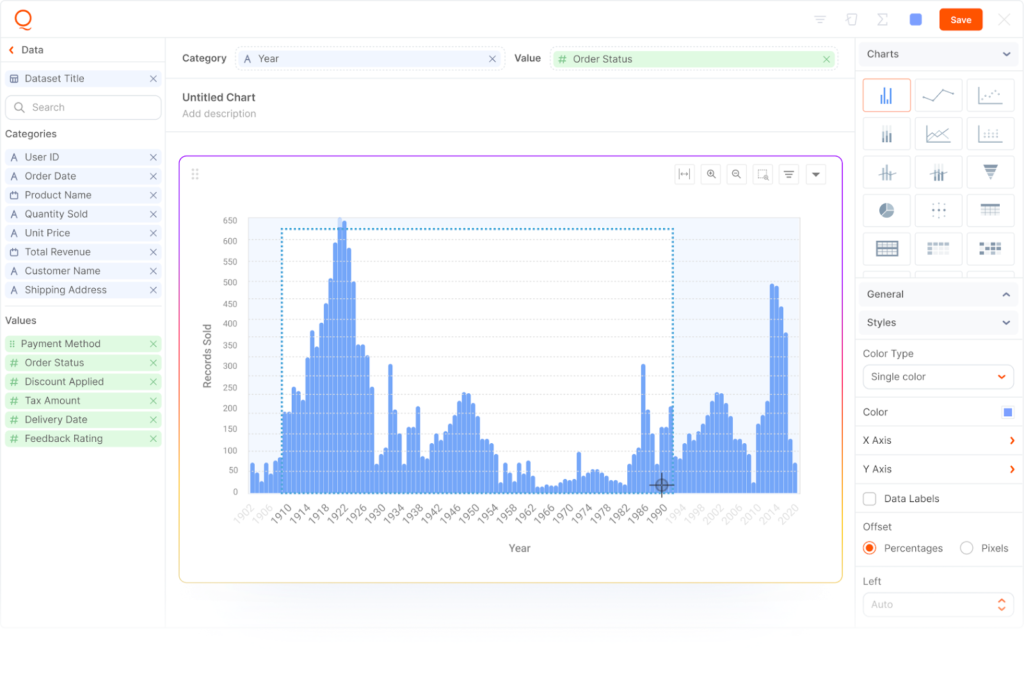
Self-service experience example from Qrvey.
Types of White Label Reporting
Different use cases need different reporting approaches. Here’s how to match white label reporting types to your situation.
Embedded Analytics for SaaS Applications
This requires the deepest technical integration because more than branding reports, you’re weaving analytics into your product architecture.
Qrvey specializes here. Our embedded analytics platform deploys to your cloud environment and inherits your existing security model. Every component uses simple JavaScript widgets (no iframes that break user experience or create security data vulnerabilities).
Agency Reporting Portals
You’re creating a delivery mechanism for digital marketing insights from Google Analytics 4, Google Ads, Facebook Ads, and Google Search Console.Clients log into their portal, see current performance, and download historical reports.
Business Intelligence Platforms with White Label Features
Power BI, Tableau, and similar BI tools added white label capabilities as add-ons. The challenge is these tools were designed for internal business users, not for embedding in customer-facing applications. The UX often feels disconnected from your product.
But this might still work when you’re building internal tools for sophisticated users who already know BI interfaces.
Essential White Label Reporting Features
What separates basic white label reporting from solutions that actually solve business problems? These capabilities make the difference.
- Complete Branding Control: Change every visual element including custom logo, brand colors, fonts, report cover page layouts, dashboard domain names, and CSS styling. The best platforms let you create multiple brand themes for different client base segments.
- Multi-Tenant Architecture: Each client’s data stays completely isolated with separate security data controls. When Client A logs in, they physically cannot access Client B’s information even if security rules fail. This is architectural separation in the data layer.
- Flexible Data Connectivity: You should connect to Google Analytics, Google Ads, social media platforms, data warehouses, and custom databases without writing ETL code.
- Self-Service Dashboard Building: This is where build vs buy analytics decisions get interesting. Building self-service interfaces takes years, buying gets you there in weeks.
See how you can customize your dashboard using Qrvey’s self-service features in this clickable demo.
Qrvey’s includes these embedded analytics features out of the box. The platform deployed to your cloud environment means you maintain control over security data while offloading the complexity of building these capabilities in-house.
You can integrate with ChatGPT, Gemini, Cohere, Claude, or your own model.
Best White Label Reporting Software (By Use Case)
Here’s how four platforms approach white-label reporting with different strengths.
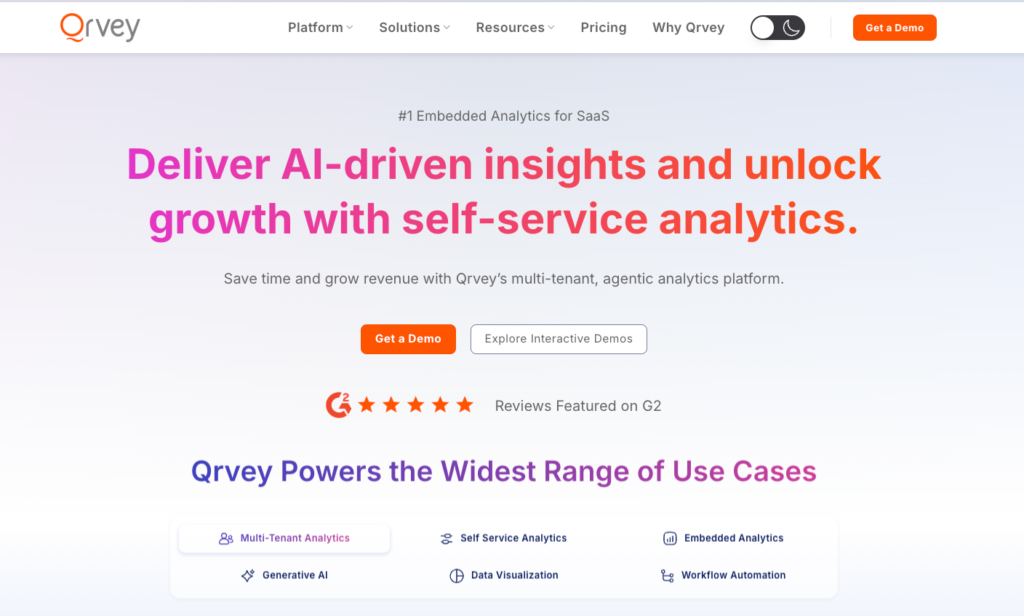
Qrvey for Embedded Analytics
Qrvey is a full-stack embedded analytics platform built specifically for SaaS companies that need multi-tenant architecture and complete UX control.
Key features include:
- Built-in data lake powered by Elasticsearch that eliminates external data warehouses
- 100% embeddable via JavaScript widgets (no iframes) for seamless integration
- Self-service dashboard builder so each tenant creates custom views
- AI-powered insights with Smart Analyzer for natural language queries
- Deploys to your cloud (AWS, Azure, and GCP coming soon!) so you control infrastructure
- Container-based scaling that grows with tenant demand
- No per-user licensing, unlimited users per deployment
Pros:
- 10x faster implementation than building analytics in-house
- 50% lower cloud infrastructure costs compared to traditional BI embedded solutions
- Full white-labeling with zero vendor trace
- Customizability at multiple levels using all the possible methods including UI, API, and CSS
- Designed for DevOps workflows with unlimited environments
Cons:
- Best suited for B2B SaaS, not standalone marketing agencies
- It’s a powerful product that might be overkill for pre-revenue or early stage startups
Best for:
SaaS companies embedding analytics for external customers who need scalable, secure, multi-tenant dashboards that match their product’s look and feel.

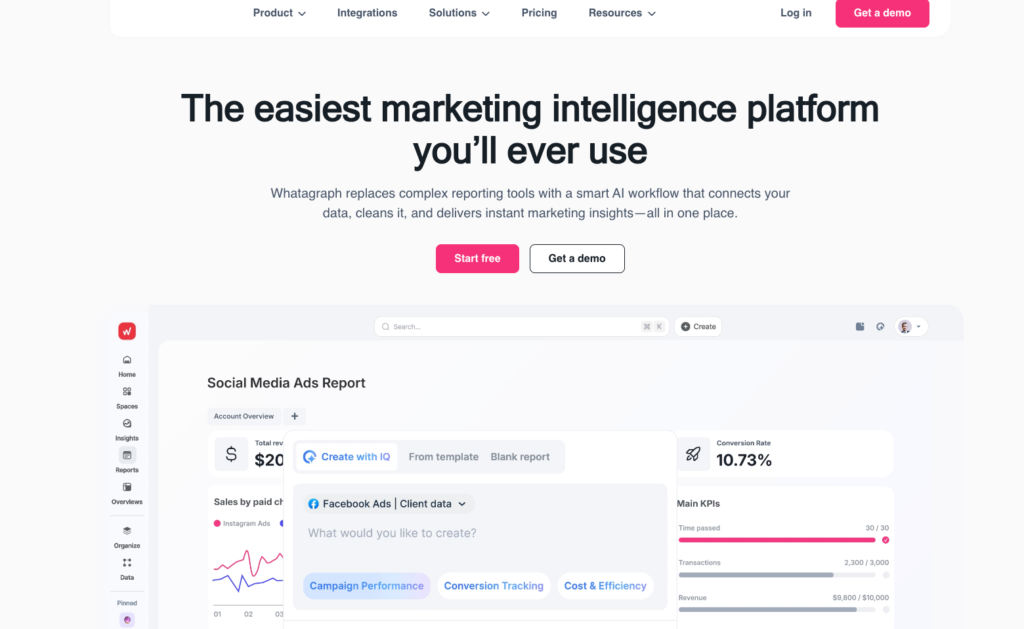
Whatagraph for Marketing Agency Reporting
Whatagraph automates cross-channel marketing reports using drag-and-drop templates and AI-powered insights.
Key features include:
- 60+ data source integrations including Google Ads, Facebook Ads, and social media platforms
- Visual report builder with report templates for common use cases
- Automated email delivery on schedules you define
Pros:
- Easy to use with minimal setup time
- Responsive customer support
Cons:
- Higher price point than alternatives
Best for:
Marketing agencies and small-to-midsize businesses prioritizing visual appeal and automation over custom embedding.
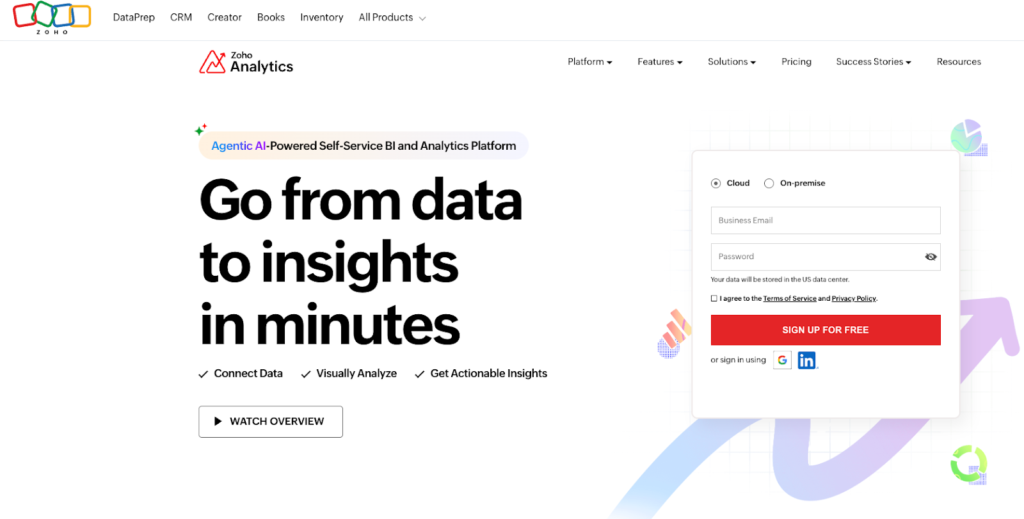
Zoho Analytics for ISVs & Digital Agencies
Zoho Analytics offers comprehensive white-labeling for agencies and ISVs delivering branded BI to clients.
Key features include:
- Fully branded dashboards, reports, and mobile apps hosted on your custom domain
- 500+ data connectors
- Robust API connections for custom integrations
Pros:
- Low total cost of ownership
- Easy integration with existing systems
Cons:
- Steep learning curve for advanced formulas and custom SQL
- Data syncing delays with very large external datasets
Best for:
ISVs and digital agencies needing affordable white-labeled BI with extensive connectivity.
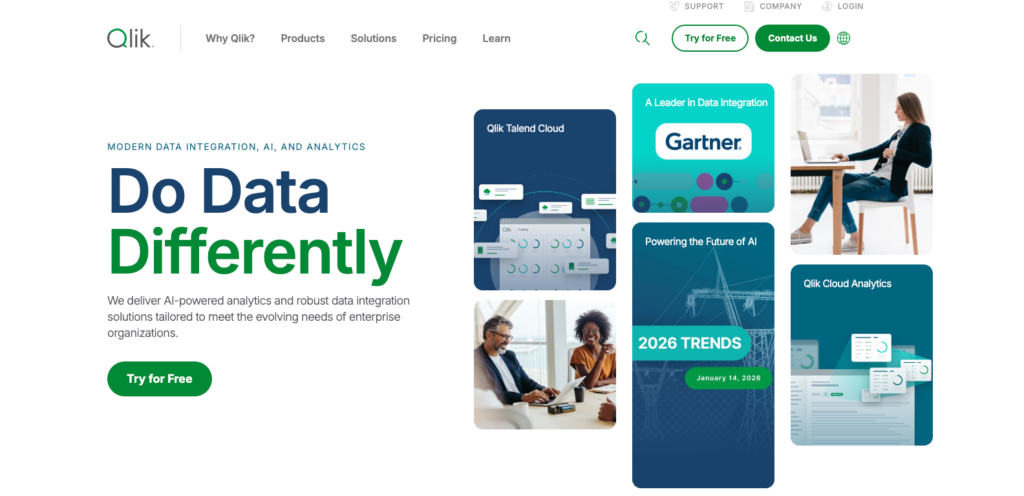
Qlik for Enterprise-Scale Custom Reporting
Qlik delivers dashboards and PixelPerfect branded reports for enterprises.
Key features include:
- Automated scheduling and distribution via email, cloud storage
- Multiple output formats (tabular, presentation, PDF)
- High-performance associative data engine
Pros:
- Scales to large datasets
- Powerful customization for complex requirements
Cons:
- Steep learning curve
- Requires scripting for advanced transformations
Best for:
Large enterprises needing highly customized, secure reports delivered at scale to their users.
How to Choose the Right White Label Reporting Solution
The focus when picking white label reporting should be matching capabilities to your specific situation.
Start with your use case
Are you embedding analytics in a SaaS product for thousands of client users? That’s different from an agency sending monthly marketing reports to 50 clients. The technology that works for one fails catastrophically in the other.
For SaaS applications, your database design should separate client data at the storage level, not just through application logic. Qrvey’s built-in data lake handles this through architectural separation.
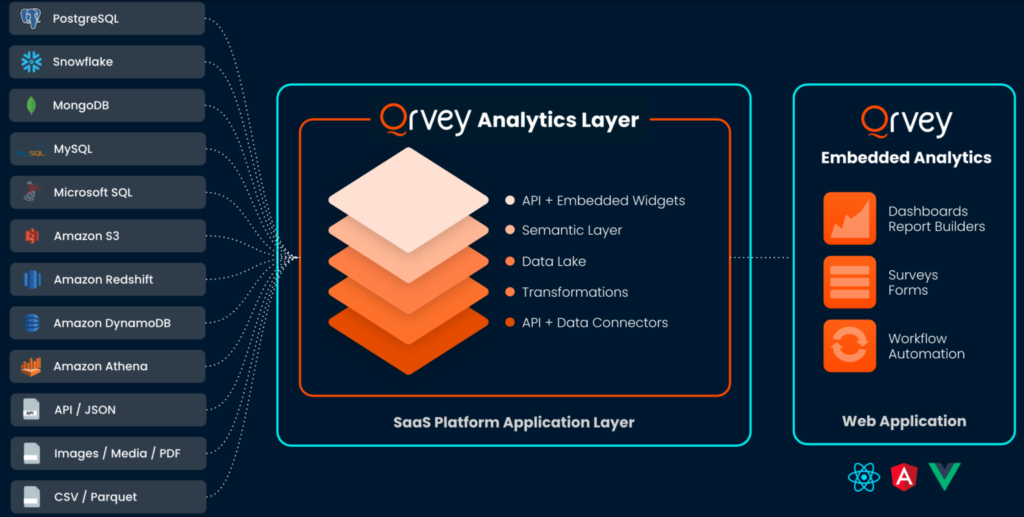
Each tenant gets isolated data spaces with inheritance-based permissions. You’re not building custom security models or maintaining separate databases per client.
Ask about scaling
What happens when you go from 100 users to 10,000? Do costs scale linearly (terrible) or elastically based on actual usage (good)? Traditional BI software charges per user. That model breaks when you’re serving customers, not internal employees.
Customization depth
Can you change colors and logos? Good. How about controlling CSS, inject custom JavaScript, and programmatically filter data based on your application state? Better.

Can you make the analytics feel indistinguishable from your core product? That’s what you need for professional SaaS applications.
Cost structure
Per-user pricing seems simple until you’re serving 5,000 client users. Infrastructure costs matter for cloud deployments. Some platforms charge for data volume, API calls, or Power BI capacity units. Model your expected usage across 12-24 months to understand true costs.
Final Thoughts on White Label Reporting
White label reporting works when the technology disappears and your clients simply get the insights they need.
Start with your biggest pain point. If engineering teams spend too much time on analytics features, embedded analytics platforms like Qrvey give you back your roadmap. If manual report generation consumes 20 hours per week, automation solves that problem. If clients churn because your reporting can’t match competitors, self-service dashboards change that dynamic.
Explore Qrvey’s pricing to see how multi-tenant architecture and embedded analytics deliver ROI through faster development and lower infrastructure costs.

Natan brings over 20 years of experience helping product teams deliver high-performing embedded analytics experiences to their customers. Prior to Qrvey, he led the Client Technical Services and Support organizations at Logi Analytics, where he guided companies through complex analytics integrations. Today, Natan partners closely with Qrvey customers to evolve their analytics roadmaps, identifying enhancements that unlock new value and drive revenue growth.
Popular Posts

Why is Multi-Tenant Analytics So Hard?
BLOG
Creating performant, secure, and scalable multi-tenant analytics requires overcoming steep engineering challenges that stretch the limits of...

How We Define Embedded Analytics
BLOG
Embedded analytics comes in many forms, but at Qrvey we focus exclusively on embedded analytics for SaaS applications. Discover the differences here...

White Labeling Your Analytics for Success
BLOG
When using third party analytics software you want it to blend in seamlessly to your application. Learn more on how and why this is important for user experience.