Domo vs GoodData: Full Breakdown With Use Cases [2026 Updated]
 Natan Cohen··31 min read

⚡Key Takeaways
- Domo vs. GoodData: Domo combines BI, data integration, AI, and workflow automation, while GoodData focuses on governed analytics, reusable metrics, and consistent embedded reporting.
- Embedded analytics and multi-tenancy: Domo Everywhere embeds dashboards and reports, while GoodData offers iframes, React components, and hierarchical workspaces. Both require evaluation of tenant isolation, permissions, and customization.
- Pricing and scalability: Domo uses consumption-based credits, while GoodData combines platform and workspace fees or custom Enterprise pricing. Costs depend on tenant growth and usage.
- When to consider Qrvey: Qrvey offers native JavaScript embedding, multi-tenant security, flat-rate licensing, and governed AI. Pro suits analytics-ready data, while Ultra adds built-in data management and transformations.
Choosing between Domo and GoodData starts with one question: where does analytics need to live?
A platform used primarily by internal teams has different requirements from one embedded inside a SaaS product, shared across tenants, or opened up for customer self-service.
This guide compares Domo and GoodData across product capabilities, data and governance, embedding, scalability, pricing, and real-world use cases, while also looking at where Qrvey may be a better fit for SaaS teams that need purpose-built multi-tenant embedded analytics.
| Category | Domo | GoodData | Qrvey |
|---|---|---|---|
| Best for | Enterprises needing integrated BI, data management, apps, and workflow automation | SaaS companies and enterprises prioritizing governed, embedded, and multi-tenant analytics | B2B SaaS companies building customer-facing, multi-tenant analytics directly into their products |
| Core approach | All-in-one data-to-action platform combining analytics, applications, and automation | Semantic-layer-driven platform focused on governed metrics and reusable analytics | Purpose-built embedded analytics platform with SaaS-native architecture and tenant-aware governance |
| Embedded analytics | Domo Everywhere embeds interactive dashboards, reports, and applications into customer-facing products | Iframe embedding, Web Components, React SDK, and APIs with white-label customization | Native JavaScript components and APIs for fully white-labeled dashboards, reports, self-service, and workflows |
| Multi-tenancy | Customer-specific analytics through access controls, data permissions, and embedding configurations | Hierarchical workspaces with shared definitions, tenant-specific permissions, and centralized content management | Native tenant isolation, host-application permission inheritance, and tenant-aware analytics |
| Data management | 1,000+ connectors, Magic ETL, SQL/Python transformations, and direct warehouse connectivity | Semantic modeling, reusable metrics, data blending, declarative APIs, and Direct/Import processing | Pro connects to analytics-ready data; Ultra adds a built-in data engine and transformation layer |
| Self-service | No-code dashboards, data exploration, Magic ETL, and App Studio | Governed drag-and-drop exploration through Analytical Designer and centrally defined metrics | Embedded dashboard and report builders, interactive exploration, and customer-specific self-service analytics |
| AI | AI Chat, Model Management, Agent Catalyst, and workflow automation | AI Assistant, Smart Search, copilots, custom agents, and MCP with semantic grounding | Sidekick, Chart Builder Agent, Smart Analyzer, Custom Agents, and MCP with tenant-aware permissions |
| Pricing model | Custom, consumption-based credit pricing with unlimited users | Professional: platform fee + workspaces; Enterprise: custom, use-case-based pricing | Flat-rate platform licensing with unlimited users, tenants, dashboards, data, and connections |
| Deployment | Primarily cloud-hosted SaaS with centralized security and administration | Managed SaaS, dedicated enterprise environments, and self-hosted GoodData Cloud Native deployment on demand | Deployed within the customer’s AWS & Azure |
| Standout strength | Broad integration of data preparation, BI, applications, AI, and operational workflows | Consistent, governed analytics through reusable semantic definitions and hierarchical workspaces | SaaS-native multi-tenancy, seamless JavaScript embedding, and predictable licensing at scale |
| Main tradeoff | Broad functionality can increase administrative complexity, while consumption costs vary with usage | Requires upfront semantic modeling and workspace management, with costs influenced by workspace growth | Specialized for embedded B2B SaaS analytics rather than broad internal BI; Pro requires an analytics-ready data environment |
Domo takes a broader business intelligence approach, while GoodData offers a more developer-oriented platform for embedding and managing analytics within applications.
For SaaS product teams evaluating either platform specifically for customer-facing multi-tenant analytics, Qrvey is also worth considering because it is purpose-built for this use case, with native tenant isolation, white-labeled embedding, and SaaS-focused architecture.


Who Is Domo Best For?

Domo is best suited for organizations looking to centralize business data, monitor performance, and automate reporting across departments. Its combination of data integration, business intelligence, and workflow automation makes it particularly useful for:
- Enterprise organizations: Consolidating data from multiple systems into a unified analytics platform.
- Business executives and decision-makers: Monitoring company-wide KPIs and tracking performance through interactive dashboards.
- Sales and marketing teams: Analyzing campaign performance, sales pipelines, and customer trends across different platforms.
- Operations teams: Tracking operational metrics, identifying bottlenecks, and automating data-driven workflows.
- Business analysts and data teams: Preparing, combining, and visualizing data using low-code tools without extensive development work.
For Whom Is GoodData Useful?

GoodData is particularly useful for SaaS companies and enterprises that need customizable, governed analytics integrated into their products or business workflows. Its developer-friendly architecture and multi-tenant capabilities make it suitable for:
- B2B SaaS companies: Embedding white-labeled dashboards and self-service analytics directly into customer-facing applications.
- Multi-tenant SaaS platforms: Delivering analytics across multiple customers while maintaining tenant-specific data access and permissions.
- Product and engineering teams: Building customized analytics experiences using APIs, SDKs, and frontend components.
- Data and analytics teams: Standardizing business metrics and maintaining consistency through a centralized semantic layer.
- DevOps-focused organizations: Managing analytics deployments through version control, CI/CD pipelines, and analytics-as-code workflows.
- Enterprises with strict governance requirements: Maintaining control over data access, analytics definitions, and deployment environments.
Qrvey: A Better Fit for Embedded Analytics & Multi-Tenant SaaS

Domo supports customer-facing embedded dashboards, but managing tenant-specific data access, permissions, and embedding configurations can add complexity, while consumption-based pricing makes costs harder to predict as usage grows.
GoodData offers strong embedded analytics and hierarchical workspaces, but managing workspace structures, shared content, and tenant-specific configurations can introduce operational overhead as the customer base expands.
Unlike Domo’s broader BI approach and GoodData’s workspace-based architecture, Qrvey is purpose-built for multi-tenant SaaS, with native tenant isolation, host-application permission inheritance, and fully white-labeled JavaScript embedding.
Its flat-rate licensing and SaaS-native architecture help product teams scale customer-facing analytics with less engineering overhead and more predictable costs.
The importance of flexible customer-facing analytics becomes clearer when reporting limitations start affecting retention. JobNimbus, a CRM and project management platform for contractors, faced churn among some large enterprise customers because its legacy reporting couldn’t accommodate their requirements.
After implementing Qrvey’s customizable self-service analytics, JobNimbus reported 70% adoption among targeted large enterprise users within months, alongside reduced churn related to reporting limitations.
“We can’t speak highly enough of the stellar team at Qrvey; their dedication is something we truly value.”- Ryan Quackenbush, Senior Product Manager at JobNimbus
It shows why SaaS teams should evaluate whether customers can answer their own reporting questions without creating another engineering backlog.

Domo vs. GoodData Pricing: How Do Their Costs Compare?
Domo and GoodData follow different commercial models, making it important to understand what drives costs beyond the initial vendor quote. Domo primarily charges based on platform consumption, while GoodData combines workspace-based pricing with custom enterprise arrangements.
Domo Pricing
Domo uses a credit-based consumption model with custom pricing rather than a publicly available enterprise rate card. Customers purchase an agreed allocation of credits, which are consumed as they use different platform capabilities.
Unlike traditional BI platforms that charge per user, Domo supports unlimited users without additional per-seat licensing fees. Instead, costs are influenced by activities such as:
- Data ingestion and processing: How frequently data is imported, tables are refreshed, and datasets are updated.
- Data transformations: The frequency and complexity of ETL workflows used to prepare and combine data.
- Data storage: Whether data is stored within Domo or accessed through an existing data warehouse.
- AI and workflow automation: Consumption associated with advanced AI operations, automated processes, and workflow executions.
For embedded analytics, certain external customer instances using Domo Everywhere also consume credits. As a result, SaaS companies need to estimate both internal platform activity and customer-facing analytics consumption when forecasting costs.
GoodData Pricing
GoodData offers two primary paid plans, Professional and Enterprise, with different pricing structures.
- Professional
GoodData Professional combines a platform fee with workspace-based pricing, making the number of workspaces a central cost variable.
The plan advertises unlimited users and data, although unlimited user access depends on using the customer’s own identity management system. It includes embedded analytics, multi-tenancy, white-labeling, and a semantic layer for maintaining consistent metrics across analytics experiences.
For SaaS companies, workspaces typically represent individual customers or tenants, allowing each to maintain its own analytics configuration and data access controls. Costs can therefore increase as more customer workspaces are provisioned.
- Enterprise
GoodData Enterprise uses custom, use-case-based pricing for organizations with more complex requirements.
It builds on Professional with additional enterprise capabilities, including advanced AI and agent development, stronger security and compliance options, expanded deployment flexibility, multiple environments, and dedicated support with service-level agreements.
The final cost depends on the deployment architecture, required capabilities, workspace arrangements, and negotiated contract.
How the Cost Models Differ
The main distinction is what drives spending as analytics usage and customer adoption increase.
- Pricing structure: Domo’s costs are primarily tied to consumption credits used by platform activities, while GoodData Professional combines a platform fee with workspace-based charges. GoodData Enterprise follows a custom pricing model.
- Tenant growth and analytics activity: Domo’s consumption can increase with data processing, refresh frequency, workflows, AI usage, and certain embedded customer instances. GoodData Professional’s workspace structure makes the number of customer environments an important cost consideration.
- Data architecture and operational costs: Both platforms require consideration of data warehouse usage, integration requirements, deployment infrastructure, and ongoing analytics management. These costs depend on how each SaaS application processes, stores, and delivers customer data.
Neither platform is universally cheaper. For multi-tenant SaaS companies, the most useful comparison models the number of tenants and workspaces, expected analytics activity, underlying data architecture, embedded usage patterns, and growth in customer adoption rather than relying on the initial vendor quote.
For GoodData, calculate how platform fees, customer workspaces, and any required add-ons would affect spending. Use the same assumptions for data volumes, reporting frequency, and customer activity in each scenario. This gives you a clearer picture of how costs could change as your SaaS product grows, rather than comparing initial quotes alone.

Embedded Analytics and Multi-Tenancy
For SaaS companies, embedded analytics involves more than displaying dashboards inside an application. The platform must support customer-specific reporting, secure data access, and manageable deployments as the number of tenants grows.
Domo Embedded Analytics
Domo Everywhere, including Domo Embed, allows organizations to integrate dashboards, visualizations, and data applications into websites, customer portals, and SaaS products.
Its embedded analytics capabilities include:
- Interactive dashboards: Embed live visualizations with filters, drill-downs, and customized branding.
- Customer self-service: Allow external users to explore data and create reports or visualizations based on configured permissions.
- Access controls: Use authentication, programmatic filters, and data permissions to restrict what individual customers can access.
- Multi-tenant analytics: Deliver customer-specific analytics experiences with controlled access to datasets and dashboards.
Domo supports multi-tenant use cases, but its broader focus spans enterprise BI, data integration, and workflow automation. SaaS teams should evaluate the configuration and maintenance required to manage customer-specific analytics as their tenant base expands.
GoodData Embedded Analytics
GoodData provides several integration options for developers building customer-facing analytics:
- Iframe embedding: Display complete dashboards within an application with relatively little development work.
- Web Components: Embed dashboards and individual visualizations into JavaScript-based applications.
- React SDK: Build more customized analytics interfaces with reusable React components.
- APIs and Python SDK: Integrate analytics into backend systems and automate administrative or development tasks.
- White labeling: Customize branding and presentation to match the host application.
Unlike GoodData’s iframe option, Qrvey does not support iframe-based embedding. Instead, it uses native JavaScript components and APIs to embed dashboards, reports, self-service builders, and workflows directly into SaaS applications.
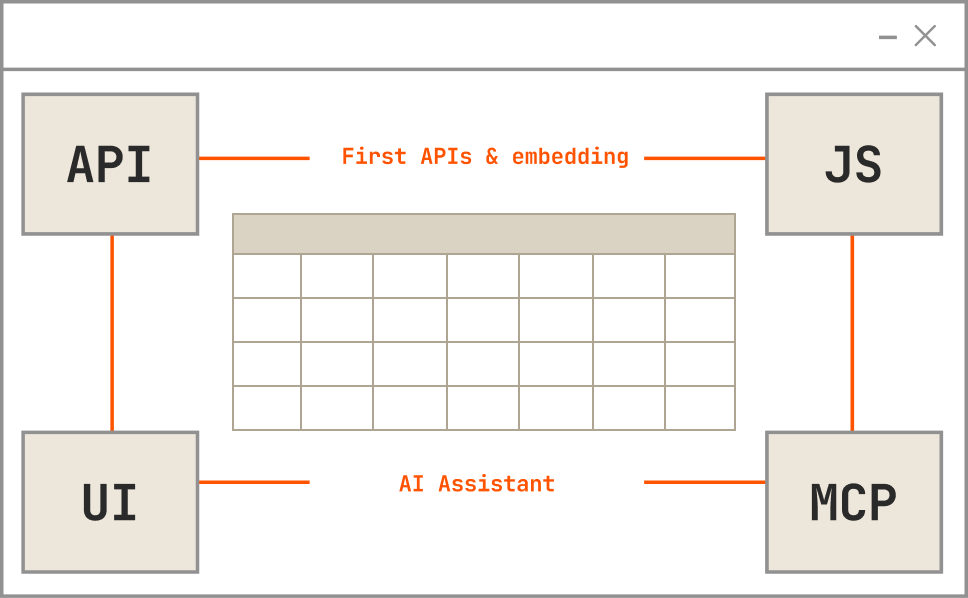
For multi-tenancy, GoodData uses hierarchical workspaces that allow parent workspaces to share data models, dashboards, and analytical definitions with child workspaces.
This architecture supports centralized content management, consistent semantic definitions, and changes that propagate across tenant environments. Individual workspaces can also maintain customer-specific analytics content and access permissions.
What SaaS Teams Should Compare
When evaluating embedded analytics for multi-tenant SaaS, product and engineering teams should consider:
- Tenant isolation: How does the platform prevent customers from accessing another tenant’s data?
- Identity and permissions: How are users, roles, and tenant context passed from the host application?
- Tenant provisioning: Does each customer require separate workspace configuration or additional setup?
- Content management: How are dashboard updates and shared metrics distributed across tenants?
- UX customization: How much control does engineering have over embedded components, branding, and styling?
- Customer self-service: Can users create their own dashboards and reports without compromising data security?
- Scaling costs: How do licensing and infrastructure expenses change as external adoption grows?
For example, a learning management SaaS platform may serve multiple training providers. A course coordinator needs to track learner progress and assessment results, while a training director needs an organization-wide view of performance. Neither should access another provider’s learner data.
With Qrvey, the SaaS application can pass tenant and user context into the analytics layer, ensuring each user accesses only the dashboards, records, and reports permitted by their role. This enables role-specific reporting without building separate analytics systems for every customer.

Data Architecture, Modeling and Integration
Choosing an analytics platform also means deciding where business logic lives, how raw data becomes report-ready, and how much infrastructure teams must maintain. Domo and GoodData both support data integration and modeling, but their approaches differ in how they organize and deliver analytics.
Domo: Connect, Transform and Operate Data
Domo’s strength is the breadth of its data-to-action platform. With more than 1,000 prebuilt cloud connectors, on-premises integrations, and custom connection options, organizations can bring together data from CRM, finance, marketing, and operational systems.
Its data preparation and integration capabilities include:
- Magic ETL: A visual, drag-and-drop environment for cleaning, joining, aggregating, and transforming data without extensive coding.
- SQL and Python transformations: Options for technical users who need custom data preparation, complex calculations, or programmatic processing.
- Direct warehouse connectivity: Federated queries and integrations with platforms such as Snowflake and Databricks, allowing supported workloads to access existing warehouse data without always moving it into Domo.
- Application and workflow integration: Prepared datasets can power dashboards, App Studio applications, embedded analytics, and automated business processes.
For example, a SaaS company could combine subscription revenue, product usage, and support-ticket data to identify customers at risk of churn, then trigger follow-up workflows.
This integration of data preparation, analytics, and operational workflows is a meaningful Domo advantage. However, available transformation capabilities and processing behavior depend on the selected data connection architecture.
GoodData: Semantic Modeling and Governed Metrics
GoodData places greater architectural emphasis on its semantic layer, which translates underlying data structures into consistent business definitions that can be reused throughout the platform.
Its key capabilities include:
- Reusable metrics: Define business calculations such as recurring revenue or customer retention once and apply them across dashboards, embedded analytics, and AI experiences.
- Data blending: Combine analytical results from multiple data sources using shared dimensions.
- Declarative modeling: Manage logical data models, metrics, and analytical objects through metadata-driven APIs, supporting version control and repeatable deployments.
- Direct and import processing: GoodData’s Enterprise AI Lake offering supports Direct and Import modes, giving teams options for querying source data or using imported data.
GoodData’s hierarchical workspaces also allow SaaS teams to distribute shared analytical definitions while supporting customer-specific configurations.
For example, a product team can maintain a standardized revenue metric across hundreds of customer workspaces instead of rebuilding the calculation for every tenant.
The core distinction is that Domo emphasizes a broad data-to-action platform, while GoodData prioritizes reusable semantic definitions and governed analytics distribution.
Both approaches have value, depending on whether the priority is operational integration or consistent analytics across multiple applications and customers.
Domo
Domo provides a broad self-service environment for business users who want to explore data, build dashboards, and develop applications without extensive technical support.
Users can create interactive visualizations, apply filters, drill into metrics, and explore datasets using its no-code analytics tools. Domo’s App Studio extends these capabilities by allowing teams to build multi-page applications with custom navigation, branding, forms, and interactive components.
Magic ETL also makes data preparation more accessible. For example, a sales operations analyst can combine CRM and marketing data, create a performance dashboard, and connect the results to automated follow-up workflows without relying entirely on engineering.
However, Domo’s platform breadth also introduces additional learning requirements. As implementations expand, teams must understand data pipelines, dashboards, apps, permissions, workflows, and administration tools.
For organizations using several Domo capabilities simultaneously, maintaining consistency and governance across these components requires ongoing oversight.
GoodData
GoodData approaches self-service analytics through a governed semantic layer that allows business users to explore data using predefined, consistent metrics.
Its Analytical Designer provides a drag-and-drop interface where users can select metrics, attributes, and facts, apply filters, and create visualizations without writing SQL.
Because business definitions are maintained centrally, users can create reports without repeatedly defining calculations or relationships between datasets.
For example, different customer success teams can analyze retention using the same approved metric while exploring results for their respective accounts.
GoodData also offers APIs, React SDKs, and Python tooling for developers who need customized interfaces or automated analytics deployments.
However, analytics administrators must first establish appropriate data models, permissions, and governance rules. This initial setup influences how easily end users can explore information.
Domo may suit organizations seeking a broad, integrated data, analytics, and application environment. GoodData may appeal to teams prioritizing governed, repeatable analytics experiences, particularly when consistent business definitions matter across users and customer workspaces.
AI and Automation
Domo and GoodData both provide AI-assisted analytics, agents, and automation capabilities. The important difference is how their AI features interact with data models, governance controls, and existing business workflows.
Domo
Domo integrates AI across its data platform, allowing organizations to move from analyzing information to triggering business actions.
Its AI capabilities include:
- AI Chat: Enables natural-language exploration of datasets, dashboards, and applications, returning contextual explanations and visualizations.
- AI Model Management: Allows organizations to manage AI models, connect external models, and use them within analytics applications and data workflows.
- Agent Catalyst: Provides tools and guidance for developing AI agents that combine governed data, AI models, and business workflows.
- Workflows and automation: Connects AI-driven insights to notifications, approvals, escalations, and downstream business processes.
For example, a customer support team could use AI to analyze recurring complaints, identify patterns, and initiate workflows that escalate critical cases.
Domo is also expanding its agent capabilities through its AI Library, reusable toolkits, and MCP integrations. These newer agent-building and MCP capabilities were identified as beta in September 2026, while certain AI-assisted application-building features remained upcoming.
Its broader advantage is connecting AI capabilities to an established environment for data preparation, applications, and operational automation.
GoodData
GoodData’s AI strategy focuses on grounding natural-language analytics and AI agents in its semantic layer and governed business definitions.
Its capabilities include:
- AI Assistant: Allows users to ask analytical questions in natural language and receive contextual answers and visualizations.
- Smart Search: Helps users discover relevant metrics, dashboards, and analytical objects without knowing their exact names.
- Analytics copilots: Enterprise capabilities such as Dashboard Copilot and Summarization Copilot help users interpret dashboards and generate analytical explanations.
- Custom agents: Agent Builder enables teams to configure specialized agents with defined skills, knowledge, instructions, and access controls.
- MCP integration: The GoodData MCP Server enables compatible external AI agents to interact with governed analytics capabilities.
GoodData also supports enterprise LLM configuration, including options through AWS Bedrock and Azure AI services.
The architectural advantage is that AI experiences can reference the same reusable metrics, semantic definitions, and permission controls used throughout the analytics platform.
This helps reduce inconsistencies between dashboard reporting and AI-generated answers, although organizations should validate individual feature availability, governance configurations, and AI usage costs.
For SaaS companies embedding AI into customer-facing applications, tenant-specific permissions are particularly important.
Qrvey takes a SaaS-native approach to embedded AI, allowing customers to interact with analytics directly inside their applications rather than switching to a separate AI tool.
Through Sidekick, AI Agents, Custom Agents, and its MCP Server, users can ask questions in natural language, generate visualizations, investigate existing charts, and uncover insights without relying on technical teams.

Product teams can also develop Custom Agents tailored to their application’s business logic, customer workflows, and analytical requirements.

More importantly, these AI capabilities operate within Qrvey’s governed analytics environment, respecting tenant isolation, host-application permissions, and established data definitions.
This allows SaaS companies to deliver personalized, customer-facing AI analytics while maintaining control over data access and security across multiple tenants.
Deployment, Security and Governance
Deployment and governance affect where analytics runs, who controls customer data, and how securely information is shared. For SaaS companies, these decisions also determine how easily teams can enforce tenant isolation, meet customer requirements, and maintain consistent security policies.
Domo
Domo operates primarily as a cloud-hosted SaaS platform, with infrastructure and platform maintenance handled by Domo. This reduces the operational burden on internal IT teams while providing centralized administration.
Its security and governance capabilities include:
- Authentication and SSO: Supports SAML and OpenID Connect (OIDC) authentication, multi-factor authentication, and integration with enterprise identity providers.
- Roles and groups: Administrators can assign predefined or custom roles, organize users into groups, and control access to platform features.
- Data permissions: Personalized Data Permissions (PDP) restrict access to specific dataset rows based on users, groups, or trusted attributes.
- Governance and auditability: Activity logs, content certification, and governance tools help administrators monitor platform usage and maintain reporting standards.
- Data protection: Encryption in transit and at rest, IP restrictions, and Bring Your Own Key (BYOK) capabilities provide additional security controls.
For embedded SaaS applications, teams should validate how customer identities, permissions, and data restrictions are mapped into Domo. Data residency requirements and the extent of infrastructure control available under the hosted model also deserve consideration.
GoodData
GoodData offers greater deployment flexibility through its managed and self-hosted offerings.
GoodData Cloud provides a fully managed environment, while enterprise arrangements can include dedicated infrastructure and regional hosting options.
GoodData Cloud Native (GoodData.CN) supports self-hosted Kubernetes deployments for organizations requiring greater infrastructure control.
Its governance capabilities include:
- Authentication and permissions: Supports SSO through enterprise identity providers, user groups, and granular access controls.
- Tenant isolation: Hierarchical workspaces, workspace data filters, and user-level permissions help separate customer data and analytical content.
- Content governance: Shared semantic definitions, dashboards, and data models can be distributed across child workspaces while allowing tenant-specific customization.
- Security oversight: Enterprise audit logging and deployment controls support monitoring, security investigations, and compliance requirements.
These options let SaaS companies align analytics deployment with customer-specific data residency, infrastructure, and security requirements.
However, greater deployment flexibility can also mean greater operational responsibility, particularly for self-hosted environments. Teams should evaluate who manages upgrades, monitoring, access policies, and tenant provisioning before selecting an architecture.
How to Choose Between Domo and GoodData
The right choice between Domo and GoodData depends on what your organization needs analytics to accomplish, how it plans to scale, and which technical responsibilities it wants the platform to handle.
Rather than comparing feature counts alone, evaluate both platforms against the following five considerations.

1. Choose Based on the Primary Analytics Use Case
Start by identifying whether analytics primarily serves internal teams, external customers, or both.
Domo is a strong candidate for organizations that need enterprise reporting, data integration, operational dashboards, and applications within one environment. Its combination of business intelligence, App Studio, and workflow automation is particularly relevant when analytics must support operational decisions.
GoodData is a strong candidate for organizations prioritizing governed analytics, reusable business metrics, and consistent reporting across embedded applications.
For example, a company connecting sales, finance, and operational workflows may favor Domo’s integrated approach, while a SaaS provider distributing standardized analytics to hundreds of customers may find GoodData’s workspace architecture more relevant.
2. Model Pricing Against Expected Scale
Compare how each platform’s commercial model behaves as adoption increases.
Domo uses consumption credits, so estimates should account for data refreshes, transformations, workflows, AI activity, and embedded customer usage.
GoodData Professional combines a platform fee with workspace-based charges, while Enterprise uses custom pricing. Workspace growth and deployment requirements therefore influence its economics.
For embedded SaaS, build a forecast covering:
- Customer growth: Expected tenant and workspace counts over the next 12–36 months.
- Data volumes: Storage, refresh frequency, and processing requirements.
- Analytics interactions: Dashboard usage, queries, self-service activity, and AI requests.
- Operational growth: Additional environments, support requirements, and infrastructure changes.
Use these scenarios to compare total cost rather than user counts or initial quotes alone.
3. Decide How Much of the Data Stack the Platform Should Own
Domo provides extensive native capabilities for connecting, preparing, transforming, analyzing, and operationalizing data. This can reduce the need to assemble several separate tools, particularly when teams want analytics connected directly to business applications and workflows.
GoodData emphasizes a semantic analytics layer over connected data sources, while also offering data processing and storage capabilities.
Organizations with established cloud warehouses may prefer keeping transformation logic in their existing infrastructure and using GoodData to standardize business metrics. Teams seeking a broader integrated platform may find Domo’s approach more suitable.
4. Evaluate Embedded and Multi-Tenant Requirements
For customer-facing analytics, test how each platform handles the complete tenant lifecycle rather than evaluating a single embedded dashboard.
Consider whether tenant provisioning can be automated, how the host application passes identity and security context, and how permissions prevent cross-tenant data exposure.
Also assess how dashboard changes propagate across customers, whether end users can safely create their own reports, and how much control engineering has over styling and embedding methods.
A proof of concept involving multiple tenants, different permission levels, and customer-specific customizations can expose implementation requirements that a standard product demonstration may not reveal.
5. Compare AI, Governance and Deployment Requirements
Determine whether AI primarily supports internal analysts or becomes part of customer-facing workflows.
Evaluate how AI responses are grounded in trusted data, how permissions are enforced, and whether organizations can control model access and usage.
Deployment requirements also matter. Domo’s managed cloud approach reduces platform infrastructure ownership, while GoodData offers managed, dedicated, and separate self-hosted deployment options.
Finally, review data residency, audit logging, security administration, and governance across customer environments.
If customer-facing analytics across multiple SaaS tenants is the primary requirement, Qrvey is another option worth evaluating for its purpose-built multi-tenant architecture.

When Qrvey Is the Better Fit Than Domo or GoodData
Domo and GoodData are both capable analytics platforms, but they approach the problem from different starting points.
Domo is broad by design, bringing data integration, BI, applications, and automation into one environment.
GoodData puts more emphasis on governed metrics, semantic modeling, and distributing analytics through workspaces.
Qrvey becomes particularly relevant when the problem is more specific: you are a B2B SaaS company building customer-facing analytics across many tenants and want that analytics to behave like part of your product.

Instead of adapting a general BI platform or managing analytics primarily through separate customer workspaces, Qrvey was built around multi-tenant SaaS from the start.
Tenant identity, permissions, dashboards, reports, self-service, automation, and AI can operate within the same analytics architecture, while native JavaScript components let teams embed those experiences directly into the application.

Choose Qrvey When Multi-Tenancy Is a Product Requirement
For customer-facing SaaS, multi-tenancy affects much more than filtering a dashboard. Every report, self-service query, AI interaction, workflow, and export needs to understand who the user is, which tenant they belong to, and what they are allowed to access.
Qrvey allows tenant and user context to flow from the host application into the analytics layer, helping teams reuse existing application permissions instead of maintaining a parallel access model specifically for analytics.

That becomes increasingly valuable as the product adds more tenants, roles, datasets, reporting experiences, and customer-specific requirements.
Choose Qrvey When You Want Analytics to Feel Native
Domo and GoodData both support embedding, but Qrvey is designed around customer-facing analytics as the core product experience.
Teams can embed dashboards, reports, self-service builders, workflows, and AI experiences through native JavaScript components and APIs.

White labeling lets the experience follow the surrounding application’s branding, navigation, and UX rather than exposing customers to a separate BI environment.

This is especially useful when analytics is something customers interact with every day or when reporting itself is part of the product’s competitive differentiation.


Qrvey brings these capabilities into the same platform rather than requiring teams to add another reporting or automation tool each time the use case expands.
The benefit is not simply having more features. It is giving product and engineering teams a common foundation they can continue building on as customer expectations change.
Choose Qrvey When You Want Less Analytics Work on the Engineering Roadmap
Building customer-facing analytics in-house involves much more than developing charts and dashboards.
Engineering teams must also maintain authentication, tenant isolation, permissions, data pipelines, reporting logic, exports, performance, deployments, and increasingly AI capabilities.
This challenge was familiar to Impexium, an association management software provider. Its team had been developing custom charts, dashboards, and reports in response to customer requests, creating a growing workload that became harder to manage as demand increased.
After adopting Qrvey’s embedded self-service analytics, Impexium could deliver reporting capabilities faster without building every requested report from scratch.
“Qrvey allowed Impexium to go to market quickly and get analytics into the hands of our customers,” said Dadou Jahanbani, Chief Technology Officer at Impexium.
For SaaS teams, reducing repetitive analytics development means more engineering resources can remain focused on core product improvements.
Choose Qrvey When Predictable SaaS Economics Matter
The commercial models are also worth comparing as analytics adoption grows across a SaaS customer base.
Domo’s costs are driven largely by consumption credits, including activities such as data processing, transformations, workflows, AI, and certain embedded usage.
GoodData Professional combines a platform fee with workspace-based pricing, making the number of customer environments an important consideration as the business scales.
Qrvey takes a different approach with flat-rate licensing rather than charging per user, tenant, or based on data usage. This allows SaaS companies to expand customer-facing analytics without increasing licensing costs every time they add users, provision tenants, or generate more dashboard activity.
Qrvey offers two plans, with the primary difference being how much of the underlying data architecture the platform manages
| Plan | Best for | What it includes |
|---|---|---|
| Qrvey Pro | SaaS teams with an analytics-ready database that want to retain their existing data infrastructure | Embedded dashboards, reporting, self-service analytics, and automation connected to an existing analytics-ready data environment |
| Qrvey Ultra | SaaS teams that need a more complete analytics stack, including data preparation and management | Everything in Pro, plus a built-in data engine and transformation layer for processing and analyzing data from multiple sources |
Qrvey Pro makes sense when engineering teams already have reliable data pipelines, an analytics-ready database, and established processes for managing data transformations. They can retain ownership of that infrastructure while using Qrvey to deliver embedded analytics, rather than introducing another data engine.
Qrvey Ultra addresses a different architectural requirement. When source data needs additional preparation, transformation, or optimization for analytics workloads, its built-in data engine and transformation layer reduce the need to develop and maintain those capabilities separately. This can help engineering teams avoid assembling multiple tools to support customer-facing analytics.
The distinction matters because licensing is only one component of total cost. SaaS companies must also consider cloud infrastructure, data processing, engineering maintenance, and the resources required to support analytics across multiple tenants.
For SaaS companies planning to increase analytics adoption, Qrvey’s flat-rate licensing makes platform costs easier to forecast, while the choice between Pro and Ultra allows engineering teams to decide how much responsibility for the underlying data architecture they want to retain.

Which Platform Should You Choose?
The right platform depends on your analytics requirements, technical architecture, and how you plan to scale.
- Consider Domo if you need a broad platform combining enterprise BI, data integration, app development, AI, and workflow automation, with external embedding as an additional capability.
- Consider GoodData if governed metrics, reusable semantic definitions, developer tooling, and embedded multi-tenant analytics are central to your requirements.
- Consider Qrvey if you’re building customer-facing analytics into a multi-tenant B2B SaaS application and prioritize native JavaScript embedding, customer-cloud deployment, tenant-aware security, and predictable flat-rate licensing.
Building analytics into your SaaS product? Get a Qrvey Product Tour to see how it works.
FAQs
Yes. Domo can support internal business intelligence alongside embedded customer analytics, while GoodData can serve enterprise analytics as well as customer-facing embedded use cases. The difference is emphasis: Domo provides a broader data, BI, application, and automation environment, while GoodData puts more focus on governed analytics, reusable metrics, and developer-oriented embedding.
Not necessarily. Domo supports direct warehouse connectivity for supported architectures, allowing some workloads to query platforms such as Snowflake and Databricks without always moving the underlying data. GoodData also supports different processing approaches, including Direct and Import modes, depending on the deployment and data architecture.
Both support self-service, but they approach it differently. Domo provides a broad no-code environment where business users can explore data, build dashboards, prepare data, and create applications. GoodData provides governed self-service built around centrally defined metrics and data models, which can be useful when consistency across users and customer environments is especially important.
Yes. Qrvey allows tenant and user context to flow from the host application into the analytics layer, helping teams apply the application’s existing permission model to customer-facing analytics rather than maintaining a completely separate access system.
Yes. Qrvey can support dashboards, self-service creation, scheduled and pixel-perfect reporting, conversational analytics, AI-generated visualizations, alerts, and workflow automation within the same analytics platform. This gives SaaS teams room to expand the customer analytics experience without introducing a separate tool for every new reporting requirement.
Natan brings over 20 years of experience helping product teams deliver high-performing embedded analytics experiences to their customers. Prior to Qrvey, he led the Client Technical Services and Support organizations at Logi Analytics, where he guided companies through complex analytics integrations. Today, Natan partners closely with Qrvey customers to evolve their analytics roadmaps, identifying enhancements that unlock new value and drive revenue growth.